Video outpainting · Independent tool
Video outpainting. More room for your scene.
Expand the surroundings of a short video to 16:9 or 9:16. Upload and process on Wan3Prime, with one shared account, a 70-credit quote and a private MP4 download.
- Short MP4 input
- 16:9 / 9:16
- 70 credits
- Silent output
Accounts, credits and video processing are provided at Wan3Prime.
Open processing workspace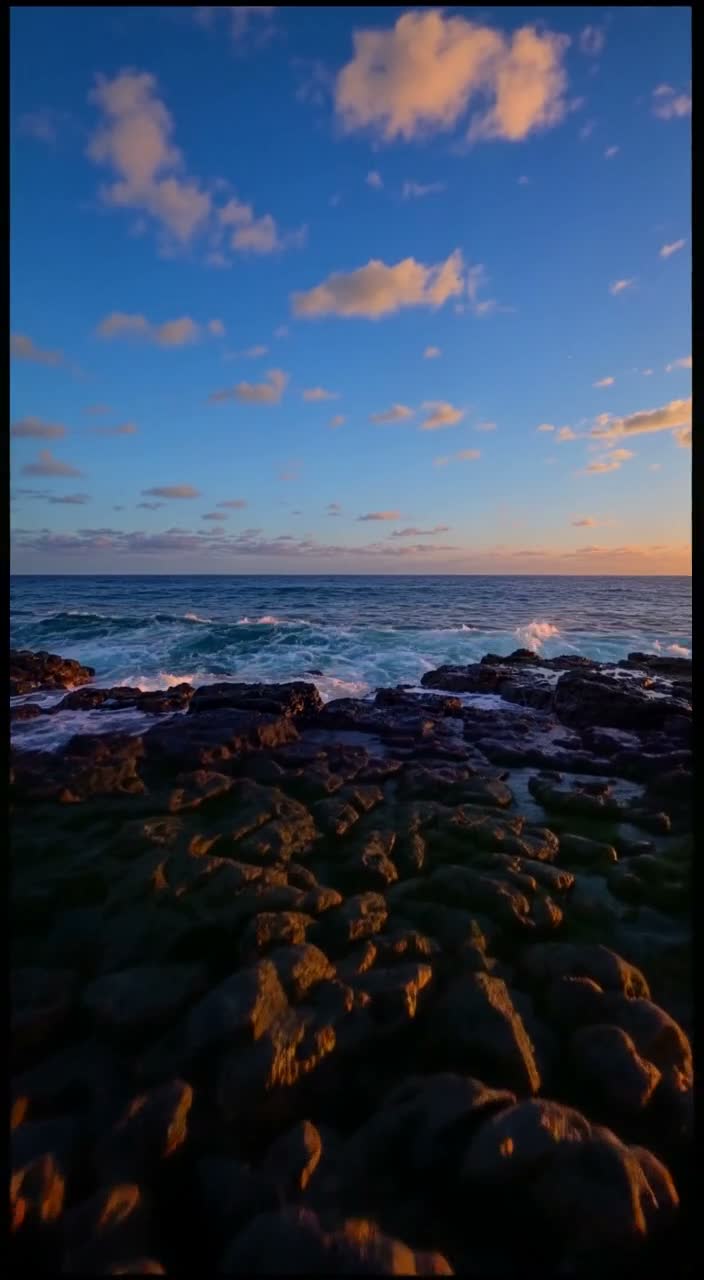
Ocean: landscape source to portrait output5.04s · 9:16 · 720p2026-10-07
01
What is video outpainting?
Video outpainting uses a generative model to fill new areas beyond a video’s original frame. It changes composition, for example from landscape to portrait, while trying to continue the scene over time. This site offers a short-clip workflow through LTX 2.3 on Wan3Prime. It generates new surroundings rather than adding black bars, and it may change details in the source region.
02
Three recorded outpainting results
Our own generated source footage was processed through the same app preset used by the workspace. This is an actual result, not a mockup.
Scene 01
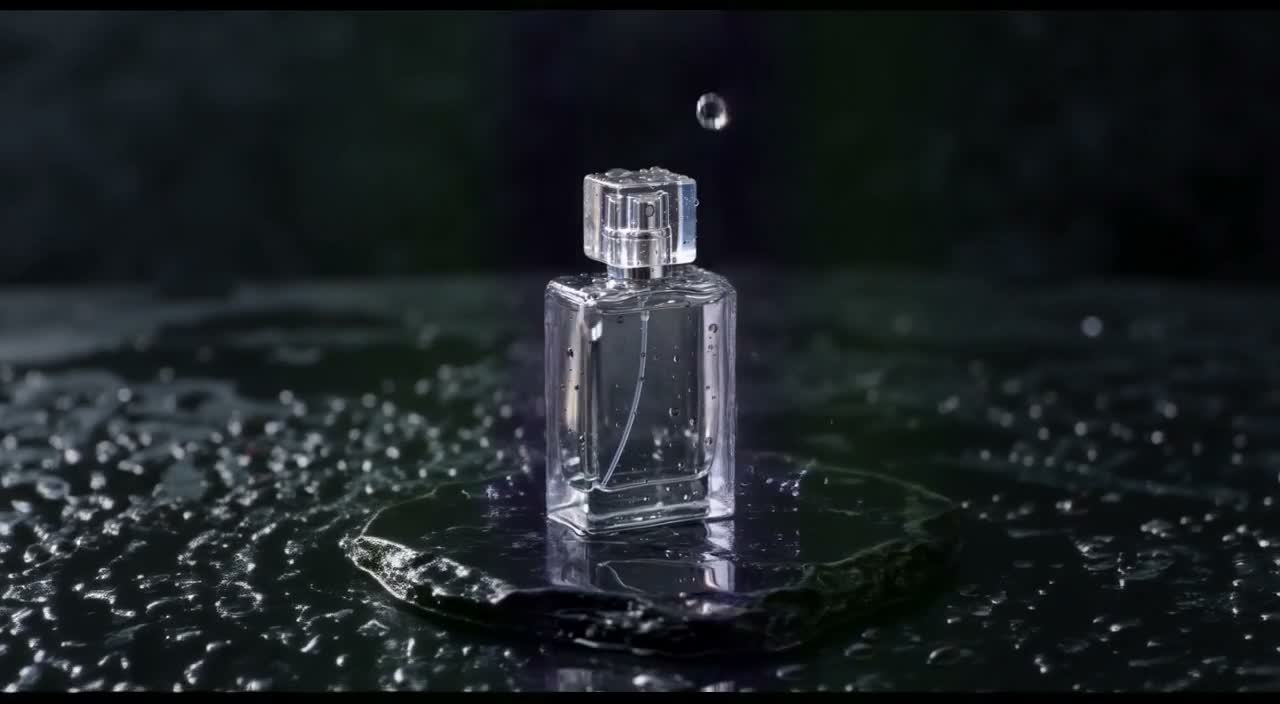
Product: portrait source to landscape output
1280×704, about 5.04 seconds, silent. The dark setting extends on both sides; drops move through the shot. Fine bottle detail and reflections still require inspection. Source footage.
Prompt
Extend the existing dark product scene naturally to the left and right. Continue the wet black stone and dark background. Keep the original unbranded perfume bottle and its motion centered. No new products, logos, text or people.
- Model
- LTX 2.3 Video Outpainting
- Settings
- 5.04s · 16:9 · 720p · Sound Off
- Generated
- 2026-10-07
- Here
- 70 credits
- Request
- 01a118a1-0a62-7121-aad9-c73c8d535175
Scene 02
Ocean: landscape source to portrait output
Recorded output: 704×1280, about 5.04 seconds, silent. The sky and foreground continue throughout the shot. Generative edits can change detail in the source region; this sample does not establish exact preservation.
Prompt
Extend the existing ocean scene naturally above and below the frame. Continue the dusk sky and volcanic shoreline. Keep the original waves and rocks consistent. No people, logos, text or new objects.
- Model
- LTX 2.3 Video Outpainting
- Settings
- 5.04s · 9:16 · 720p · Sound Off
- Generated
- 2026-10-07
- Here
- 70 credits
- Request
- 01a118a1-83a3-7ba0-a852-afab3d917b72
Scene 03
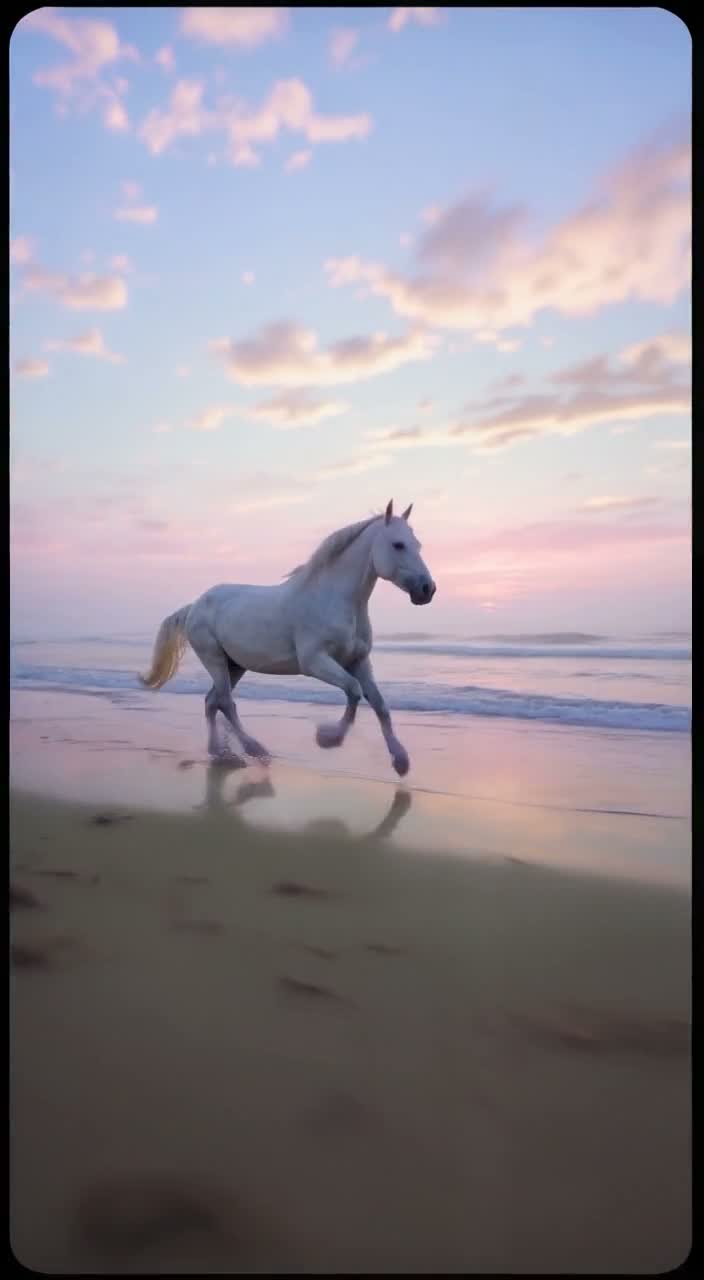
Motion test: horse on a beach
704×1280, about 5.04 seconds, silent. The horse remains visible across the shot, but rounded dark corners and soft foreground are visible. We retain those artifacts in this unedited sample. Source footage.
Prompt
Extend the misty beach environment naturally above and below the existing footage. Keep the white horse, tracking movement, horizon and hoof motion consistent. No additional animals, people, logos or text.
- Model
- LTX 2.3 Video Outpainting
- Settings
- 5.04s · 9:16 · 720p · Sound Off
- Generated
- 2026-10-07
- Here
- 70 credits
- Request
- 01a118a1-e95a-78a2-ae7f-3093af02e338
03
Unbranded bottle: source and outpainted result
Play both complete clips. The source is AI-generated footage from our own published library, not a customer case or camera recording. Source clips contain generated audio; the outpainted results are silent. These are individual jobs, not a success-rate benchmark.
Unbranded bottle · source
Original 720×1280 source, about 5.04 seconds, 30 fps with generated audio. It is shown at its native aspect ratio.
Open media fileOriginal Wan3Prime source fileUnbranded bottle · outpainted result
1280×704, 121 frames at 24 fps, silent. Inspect the original subject as well as the added environment. The source region can change; no exact-pixel preservation is promised.
Open media fileParameters and recorded-job manifest04
Limits before you upload
The first release uses a fixed output budget. The sample below shows the actual encoded dimensions returned by the provider.
- Processing model
- Lightricks LTX 2.3 quality outpaintSource: fal LTX 2.3 outpaint API
- Output budget
- 121 frames at 24 fps, nominal 720pSource: fal LTX 2.3 outpaint API
- Output shapes here
- 16:9 or 9:16Source: fal LTX 2.3 outpaint API
- Audio
- Silent output; source audio is not preservedSource: fal LTX 2.3 outpaint API
- Upload here
- MP4, up to 5 seconds and 4 MBServer checks size, container metadata, duration and account ownership.
- Task price here
- 70 credits; fixed before submissionAccount, processing and Stripe checkout are on Wan3Prime.
- Provider list estimate
- About $0.2696 for 121 frames at 1280×720Supplier cost, not the customer price or a verified invoice.Source: fal LTX 2.3 outpaint API
Last checked 2026-10-08
05
Expand a video in four steps
Open the processing workspace
Use your Wan3Prime account. Open video outpainting. Accounts and credits are shared with its other supported tasks.
Upload a short MP4
Use a trimmed clip up to 5 seconds and 4 MB. The source preview shows its dimensions. Choose a different output shape: landscape or portrait.
Describe the missing surroundings
Describe the background and lighting that should continue outside the frame. Review the fixed 70-credit quote before submitting. If needed, buy credits and return to this workspace.
Review and download
Watch the original and result, inspect the beginning and end for flicker or distorted subjects, then download the silent MP4. Failed processing returns credits automatically.
06
Make the decision from the actual result
The original stays visible
The processing workspace keeps a source preview beside the output. Check whether the generated background and the subject remain plausible throughout the clip.
A fixed quote
This release has one duration budget and one nominal resolution. Both output shapes cost 70 credits. Changing the prompt does not change that quote.
Useful limits are explicit
Short MP4 input only, silent output, no exact identity or logo preservation. Fast action, lettering and detailed product marks need careful visual review.
One account and credit balance
Purchases, task history, credit returns and private downloads use the existing Wan3Prime backend. The keyword site gives you examples and task-specific guides.
07
70 credits per outpainting job
The fixed frame budget costs 70 credits. View credit packs. Processing failures return credits; completed visual misses remain charged.
| Length | Resolution | Sound | Credits | With the smallest pack |
|---|---|---|---|---|
| 5 s | 720p | Off | 70 | $0.70 |
08
Before you process a video
Does video outpainting crop my original video?
It generates new image regions around the fitted source. It can also alter detail inside the original region; exact pixel preservation is not promised. Cropping simply removes part of a frame.
What files can I upload?
One regular MP4 with one video track, up to 5 seconds and 4 MB, with encoded dimensions from 64 to 4096 pixels. Trim and compress longer footage first. Use footage you have rights to process.
How much does a job cost?
70 shared Wan3Prime credits for the fixed 121-frame, 24 fps, nominal 720p output. A $15 pack contains 1,500 credits, equivalent to $0.70 per job. The quote is shown before submission.
Will my original audio be kept?
No. This release outputs silent MP4 files. Reattach your licensed source audio in an editor after downloading.
What happens when processing fails?
Failed or refused jobs receive an automatic credit return. A completed clip that plays but whose visual result you dislike is still charged.
Where do my account and payment live?
On Wan3Prime, the shared processing service operated by Cicadas. This keyword site links to that workspace and its Stripe checkout. You do not create a second account here.
09
Find the guide for your source clip
Landscape to portrait
Inspect the ocean sample and learn where new space is created in landscape-to-portrait video outpainting. Reels, Shorts and other tall compositions share this task.
Portrait to landscape
Use portrait-to-landscape video outpainting when the target is a wider composition, such as a website shot. Review new surroundings on the sides.
Choose an editing method
Compare outpainting, cropping and padding. If exact original pixels are essential, a conventional edit may suit the brief.
Write the expansion prompt
The outpainting prompt guide separates recorded prompts from untested starters and explains how to continue the background.
Prepare the MP4
Use the source preparation guide to trim, export and inspect a file before uploading it on Wan3Prime.
Review products and motion
Inspect the bottle example, moving-horse example and release limitations before spending credits.
Try video outpainting on your own footage
Prepare a short MP4 and describe what should exist around its edges. Processing and the 70-credit quote appear in the shared workspace.
10
Inspect the source files and method
The public test methodology contains all three source/result pairs, full-frame extracts, preset settings, review criteria and the limits of this demonstration set.
11
Choose the expansion workflow
Need to compare input length and preview controls? Read video outpainting vs Runway Expand Ratio. For this release, review the MP4 preparation guide, fixed limits and pricing before submitting a job.